Best Free Scanner App for iPhone — No Subscription (2026)
You need to scan a document. Maybe it's a receipt for an expense report, a contract you need to sign digitally, or lecture notes you want to keep forever. You pull out your iPhone, open the App Store, and find dozens of scanner apps -- most of them hiding fees behind a "free" label.
One app adds a watermark to every scan. Another limits you to 5 pages of OCR per month. A third one wants $10/month just to export a PDF.
It doesn't have to be this way. Here's an honest look at the best free document scanners for iPhone in 2026.
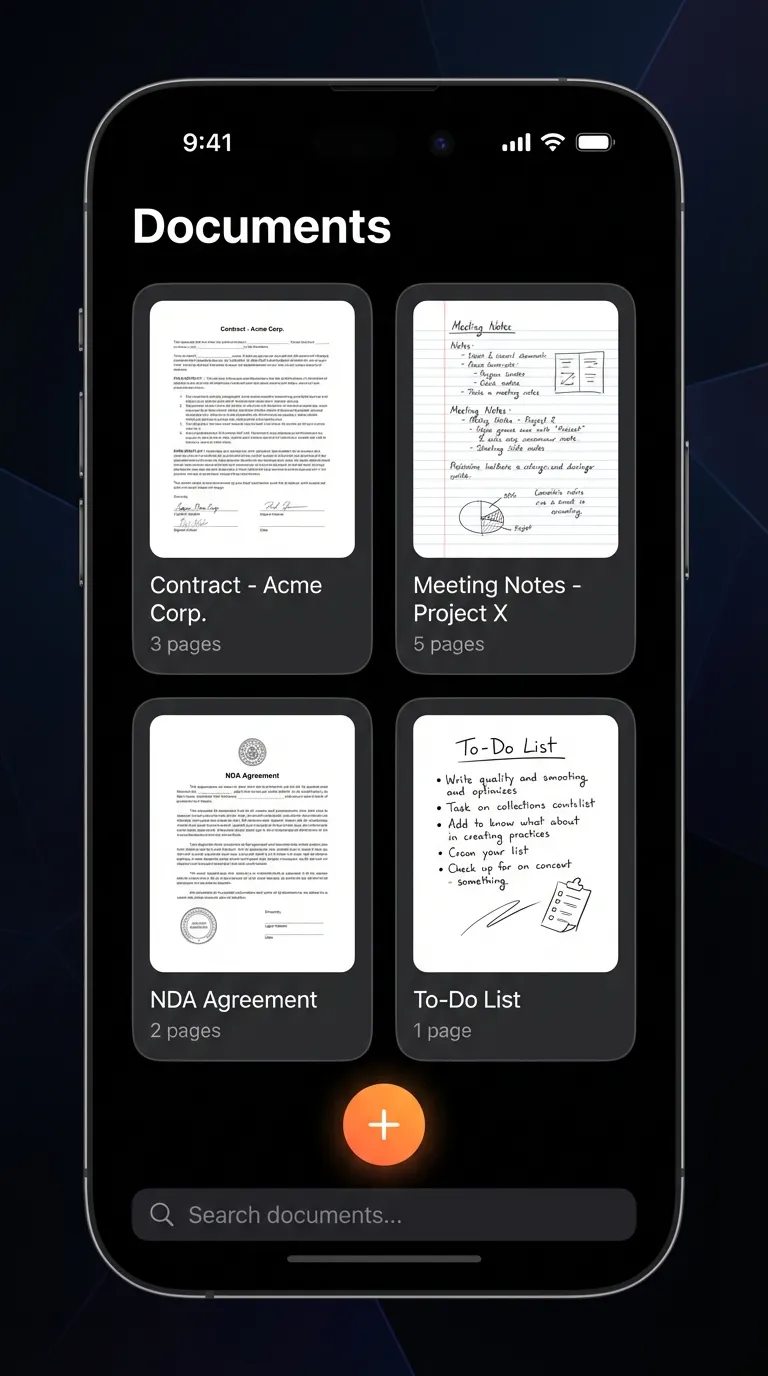
How to Scan a Document on iPhone for Free
You don't need to pay anything to scan documents on your iPhone. There are two free ways to do it, and which one you pick depends on how often you scan.
Option 1 — Apple Notes (no app to install). Your iPhone can already scan documents to PDF for free:
- Open the Notes app and start a new note.
- Tap the camera icon, then choose Scan Documents.
- Point your camera at the page — it auto-detects the edges and corrects the angle.
- Tap to capture, keep adding pages if needed, then tap Save.
- Share the note or export it as a PDF.
This is fine for the occasional one-off scan, but Notes mixes your scans in with everything else and has no folders or text search.
Option 2 — A dedicated free scanner app. If you scan regularly — receipts, contracts, lecture notes — a purpose-built app is faster and keeps everything organized:
- Open the scanner app (we use Scanory, a free iOS app for scanning documents).
- Point the camera at your document — auto edge-detection crops and straightens it.
- Scan multiple pages and they combine into a single PDF.
- Save it straight into a folder so you can actually find it later.
Either way, scanning a document to PDF on iPhone is completely free. The real question is whether the free app stays free — which is exactly what we tested below.
What to Look For in a Free iPhone Document Scanner
Before we compare apps, here's what actually matters:
- No watermarks. A scanner that stamps its logo on your documents is useless for anything professional.
- PDF export. You need to share and store scans as PDFs -- it's the universal standard.
- Organization. Scanning 100 documents means nothing if you can't find the one you need.
- Free means free. Not "free with limits" or "free trial." Actually free.
- Privacy. Your documents contain sensitive information. Where does the app send your data?
The Honest Comparison
| Feature | Scanory | Adobe Scan | CamScanner | Apple Notes |
|---|---|---|---|---|
| Price | Free | Free (limited) | Free (limited) | Free |
| Watermark | None | None | Yes (free tier) | None |
| PDF export | Yes | Yes | Yes (with watermark) | Limited |
| OCR | Yes | 5 pages/month free | Paid feature | No |
| Folder organization | Yes | Basic | Yes | Limited |
| Multi-page scan | Yes | Yes | Yes | Yes |
| Subscription to unlock | None | $9.99/month | $29.99-39.99/year | None |
| Privacy | On-device | Cloud-based | Cloud-based (past issues) | On-device |
Let's break down each option.
Scanory: The No-Compromise Free Scanner
Scanory takes a simple approach: give you everything you need, charge you nothing, and keep your data on your device.
What makes Scanory stand out
Folder organization that actually works. This is where most free scanners fall short. Scanory lets you create folders and organize your scans the way you think -- by project, by client, by class, by date. It sounds basic, but when you have hundreds of scans, this is everything.
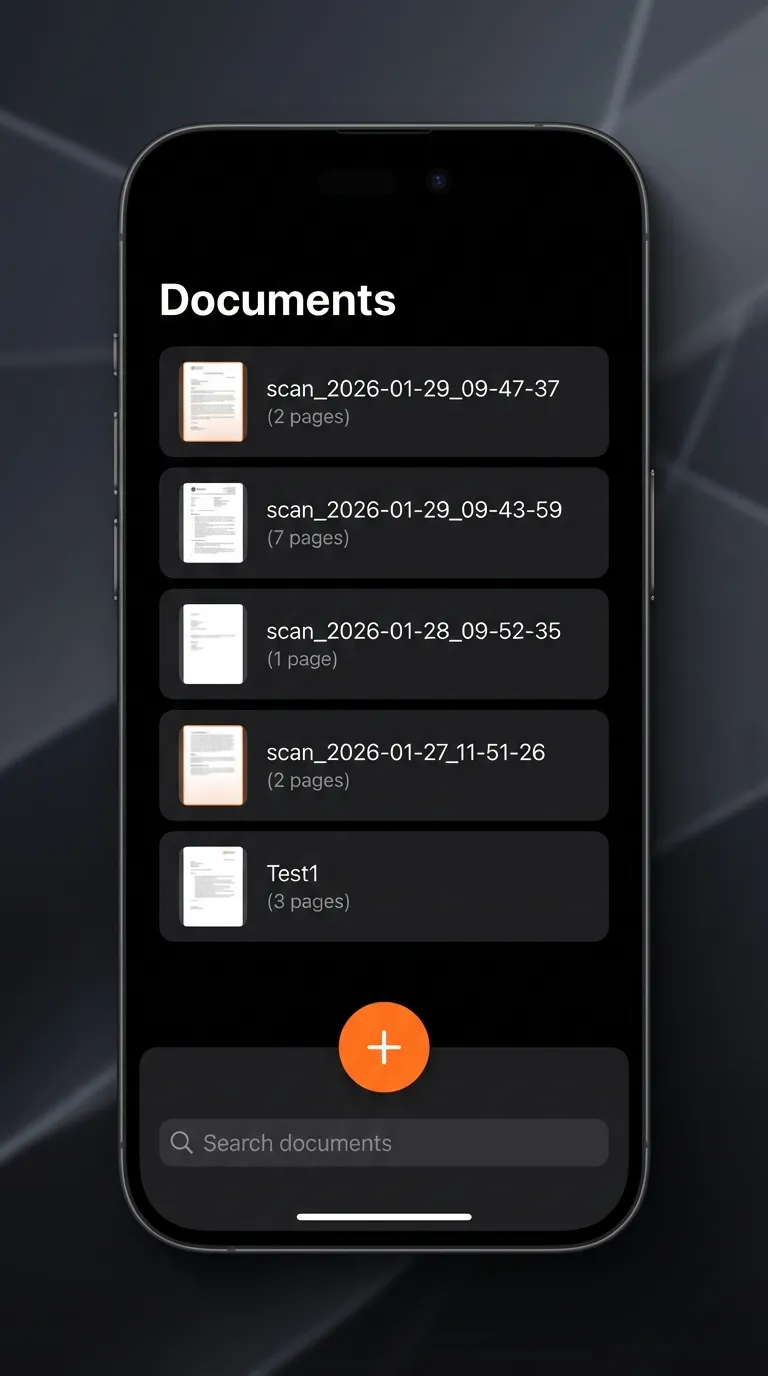
Multi-page support. Scanning a 10-page contract? Keep scanning, and Scanory combines everything into a single PDF. No page limits, no "upgrade to scan more" popups.
Local storage for privacy. Your documents stay on your iPhone. Scanory doesn't upload your files to cloud servers for processing. For anyone scanning tax documents, medical records, or legal paperwork, this is non-negotiable.
Clean, fast interface. Open the app, point your camera, tap scan. Auto-edge detection crops and straightens the document. Save as PDF. Done.
Adobe Scan: Powerful, But the Free Tier Has Limits
Adobe Scan is a well-made app backed by a company that practically invented the PDF. The scanning quality is excellent, and the OCR (text recognition) is among the best in class.
The catch: The free tier limits OCR to 25 pages across 5 documents per month. Need more? That's $9.99/month for Adobe Acrobat Premium. For casual use, the free tier works. For students or professionals scanning regularly, those limits hit fast.
Privacy note: Adobe Scan processes documents in the cloud for OCR. If you're scanning sensitive documents, that's worth considering.
CamScanner: The Veteran With Baggage
CamScanner has been around for years and has a massive user base. The feature set is comprehensive -- scanning, OCR, collaboration, cloud storage.
The problems:
- Watermarks on free scans. Every document you scan on the free tier gets a CamScanner watermark at the bottom. This makes free scans unusable for professional purposes.
- Privacy history. In 2019, CamScanner was removed from the Google Play Store after a malicious module was found in the app. The issue was resolved, but trust is hard to rebuild.
- Aggressive upselling. The free experience is designed to push you toward a $29.99-39.99/year subscription.
Apple Notes: Already on Your iPhone
Apple Notes has a built-in document scanner that's surprisingly decent. Open Notes, tap the camera icon, select "Scan Documents." It auto-detects edges, corrects perspective, and saves the scan to your note.
Where it falls short:
- No dedicated folder system for scans. Your scans live inside notes, mixed with everything else.
- No OCR. You can't search text within scanned documents.
- Limited PDF management. Exporting scans as PDFs requires extra steps.
- No dedicated scanning workflow. It's a note-taking app that happens to scan, not a scanner app.
For the occasional one-off scan, Apple Notes is fine. For anything more, you need a dedicated app. (If you're looking for more productivity tools that are actually free, we put together a roundup of 5 free iPhone apps worth checking out.)
Real-World Use Cases
For Students
You're in a lecture. The professor puts up a diagram. You scan it with Scanory, drop it in your "Biology 301" folder, and it's there when you need it for the exam. No watermark, no subscription eating into your student budget.
For Freelancers and Remote Workers
Every receipt, every invoice, every contract -- scanned and organized by client. When tax season comes, you have everything in one place as searchable PDFs. No monthly fee cutting into your margins. And if you need to split a restaurant bill with a client, SnapTip handles that too.
For Small Business Owners
Menus, permits, inventory sheets, vendor contracts. A small business generates more paper than you'd think. Scanory handles it all without adding another subscription to your overhead. If you also need QR codes for menus or Wi-Fi, Qrra pairs well with Scanory for going fully digital.
For Anyone Who Hates Paper
Some people just want to go paperless. Scan the letter, recycle the paper, move on with your life. Scanory makes that workflow as fast as possible.
The Bottom Line
Here's the reality in 2026:
- Adobe Scan is great if you need advanced OCR and don't mind paying $10/month.
- CamScanner is feature-rich but the watermark and privacy history are dealbreakers for many.
- Apple Notes works for occasional scans but isn't a real scanner app.
- Scanory gives you everything you need -- scanning, PDF export, folder organization, multi-page support -- completely free, with no watermarks and no cloud uploads.
Frequently Asked Questions
How do I scan a document on my iPhone for free?
You have two free options. Use the built-in Apple Notes app (camera icon → Scan Documents) for occasional scans, or install a dedicated free scanner like Scanory for regular use with folders, multi-page PDFs, and text search. Both let you scan documents to PDF on iPhone at no cost.
What is the best free scanner app for iPhone?
For most people, Scanory is the best free document scanner for iPhone because it has no watermarks, no OCR limits, no subscription, and keeps your files on your device. Adobe Scan is excellent but caps free OCR, and CamScanner watermarks free scans.
Can I scan documents to PDF on iPhone without an app?
Yes. Apple Notes can scan documents to PDF without installing anything. For folder organization, text search, and unlimited multi-page PDFs, a dedicated free scanner app does it better.
Is Scanory really free?
Yes. Scanory is 100% free with no subscriptions, no in-app purchases for core features, and no watermarks on your scans. It's ad-supported, and every feature works from day one.
Can I scan multi-page documents to a single PDF?
Absolutely. Scanory lets you scan as many pages as you need and combines them into one PDF file. There's no page limit, unlike Adobe Scan's free tier which caps OCR at 5 documents per month.
Is it safe to scan sensitive documents with a phone app?
It depends on the app. Scanory processes everything on your device and doesn't upload your documents to cloud servers. Apps like Adobe Scan and CamScanner use cloud processing, which means your documents leave your phone.
How does Scanory compare to Apple Notes scanning?
Apple Notes can scan documents, but it lacks dedicated folder organization, OCR text search, and a proper PDF management workflow. Scanory is built specifically for scanning and organizing documents, so the experience is faster and better organized.
Download Scanory
Stop paying for something that should be free. Stop putting up with watermarks on your professional documents.
Download Scanory from the App Store -- it's free, and it stays free.
Keep Your Productivity Going
Scanory is part of the SoSo Family -- a collection of free, privacy-focused iPhone apps.
If you're also in meetings where you need to capture what's being said, check out VoiceNote+. Record meetings and get free AI transcriptions on your iPhone in 13 languages -- it even works offline with Whisper.
Other apps in the family:
- FitnessLog -- Free workout tracker
- SnapTip -- Tip calculator and bill splitter
- Qrra -- QR code scanner and generator
All SoSo Family apps are free, ad-supported, and built with your privacy in mind.