How to Organize Receipts for Taxes on iPhone (Free, No Subscription)
Every freelancer and small-business owner knows the feeling. It's tax season, and somewhere — in a drawer, a glovebox, the bottom of a tote bag — there's a wad of faded receipts you swore you'd "deal with later." Now later is here, and "later" looks like an afternoon of squinting at thermal paper.
It doesn't have to be that way. Your iPhone can turn that shoebox into clean, audit-ready records in a few seconds per receipt — for free, without uploading your financial data to anyone.
Here's how to organize receipts for taxes the easy way.
Why a Photo Roll Isn't Enough
The first instinct is to just snap a photo of each receipt and let it live in your camera roll. That's better than losing it — but it falls apart at tax time:
- No structure. A photo doesn't know the vendor, the date, or the amount. You still have to read every image and type it into a spreadsheet.
- No totals. You can't add up a folder of pictures. Come tax time you're doing manual math.
- No export. Your accountant doesn't want 300 photos. They want a PDF or a CSV they can drop into your return.
- Fades over time. Thermal receipts literally vanish. A photo freezes the moment, but a pile of unsorted photos is still a pile.
What you actually want is a receipt that's read the moment you capture it — vendor, date, total, and category extracted automatically — and a one-tap export when you're done.
The Free Way: Scan, Extract, Export
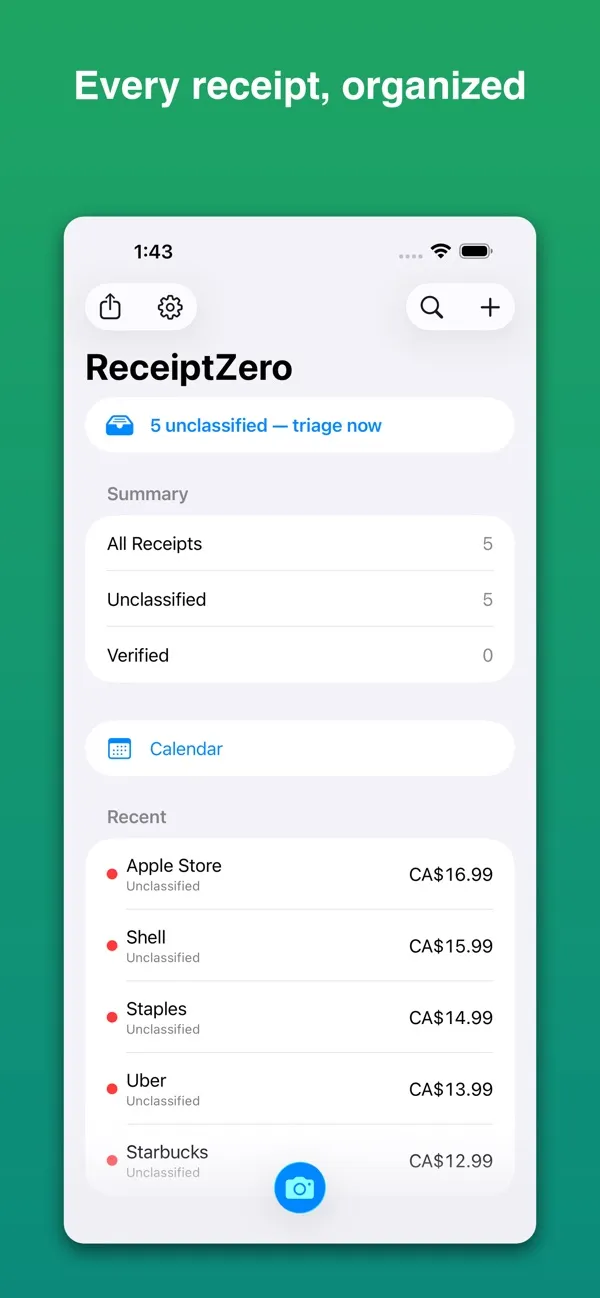
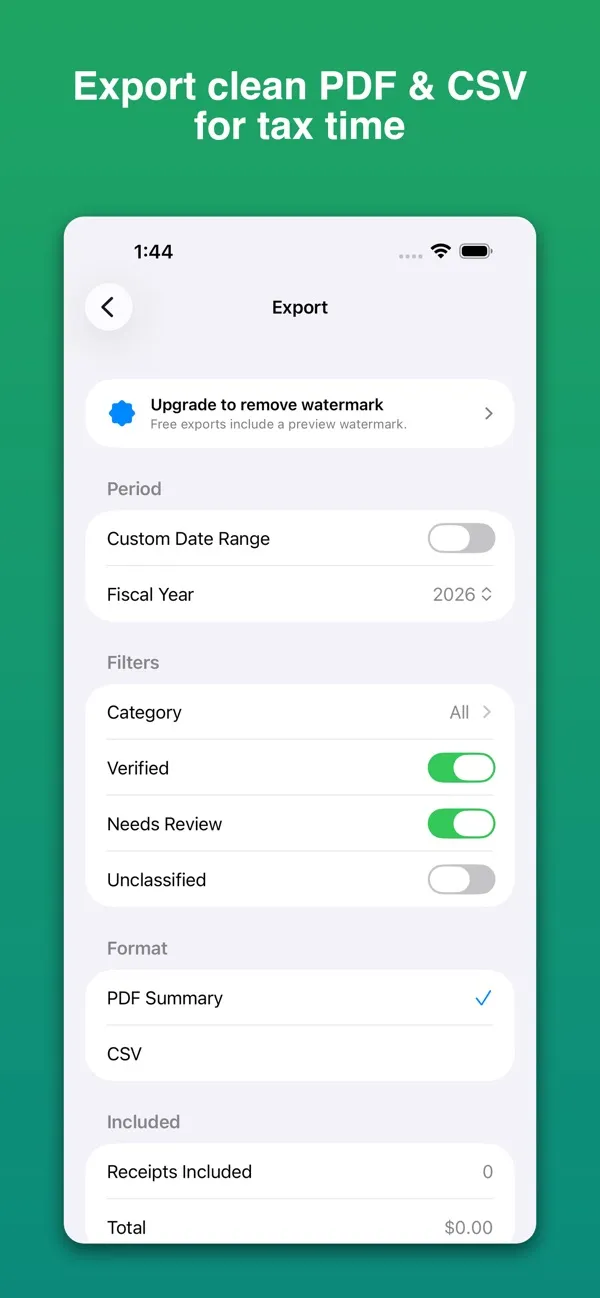
That's exactly what ReceiptZero does, and it's free to use — no scan limit, no ads. Every feature works on the free version; exports carry a "Free Preview" watermark until you upgrade to Pro (annual or lifetime).
Here's the workflow:
- Snap the receipt. Open ReceiptZero, point the camera, and capture. On-device OCR reads the receipt instantly.
- Let it fill in the details. The vendor name, date, total, and currency are extracted for you automatically. You just confirm — no typing.
- Categorize. Tag it (meals, travel, supplies, etc.) so your year sorts itself as you go, not the night before the deadline.
- Export at tax time. When you're ready, export an audit-ready PDF for your records or a CSV for your accountant or bookkeeping software.
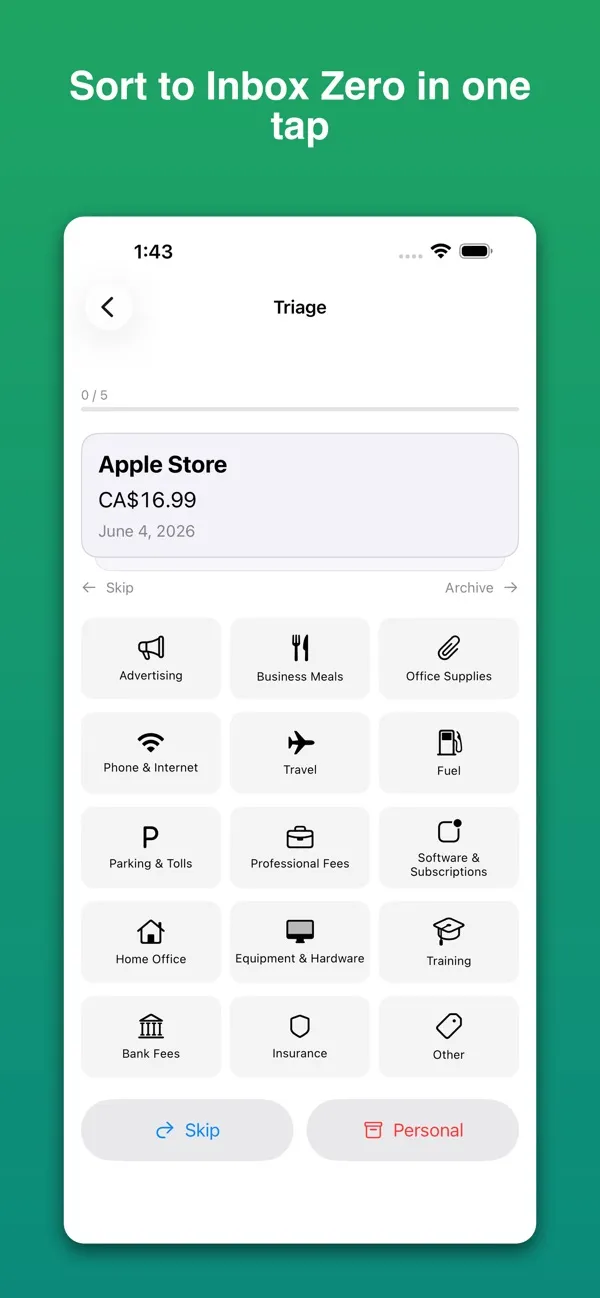
Because it understands US and Canadian tax requirements, it can flag the fields that matter for compliance — so what you hand off is actually usable, not just a pile of images with dates attached.
Why On-Device Matters for Financial Records
Receipts are financial documents. They show where you were, what you bought, and how much you spent. That's exactly the kind of data you don't want sitting on someone else's server.
A lot of "free" receipt apps quietly upload every scan to the cloud, cap your free scans at 25 a month, or start asking for $5–9/month the moment you get serious. ReceiptZero processes everything on your device. Your records stay local (with an optional backup to your private iCloud). Nothing is uploaded, nothing is sold, and there are no ads — the optional Pro upgrade is what pays for it.
That's the whole SoSo Family approach: privacy-first tools you can use for free that do one job well.
A Simple System That Survives All Year
The reason tax season hurts is that the work gets saved up. The fix is to make capture so fast it becomes a habit:
- Scan at the table. The moment you pay for a business lunch or buy supplies, scan it before you pocket the receipt. Ten seconds now saves an hour in April.
- Categorize as you go. Tag each receipt when it's fresh and you still remember what it was for.
- Export once a quarter. A quick PDF or CSV every few months means nothing piles up — and if anything ever needs review, the records are already clean.
Do that, and "doing your receipts" stops being an event. It's just something that's already done.
Frequently Asked Questions
Is ReceiptZero really free?
Yes. Scanning, OCR extraction, categorizing, and PDF/CSV export work for free — no subscription and no monthly scan limit.
Do my receipts get uploaded anywhere?
No. ReceiptZero reads and stores receipts on your device, with an optional backup to your own private iCloud. There's no server upload and no data collection.
Can I give my accountant the records?
Yes. Export an audit-ready PDF for your own files or a CSV that drops straight into a spreadsheet or bookkeeping software.
Does it work for both US and Canadian taxes?
Yes. ReceiptZero applies US and Canadian (IRS / CRA) validation so the captured fields line up with what each jurisdiction expects.
What if the OCR misreads a receipt?
You can review and edit any extracted field — vendor, date, total, category — before saving. The OCR does the typing; you stay in control.
Download ReceiptZero
Stop dreading the shoebox.
Download ReceiptZero from the App Store — free, no subscription, and your financial data never leaves your phone.
More Free Apps for Everyday Life
ReceiptZero is part of the SoSo Family — a set of free iPhone apps built to handle the small frictions of daily life, all privacy-first.
If you split a lot of restaurant bills, SnapTip scans the receipt and splits the bill fairly — free.
If you drive for a living, the receipts are only half the claim. Milesheet keeps the mileage logbook alongside them, which is what an actual-expense deduction needs — the logbook proves the business-use percentage, the receipts prove the dollars.
Other apps in the family:
- Scanory — Document scanner, no watermarks, free
- VoiceNote+ — Free meeting transcription in 13 languages
- Qrra — QR code scanner and generator, free
All SoSo Family apps are free and built with your privacy in mind.