Best Free Voice Memo App for iPhone in 2026
You record a voice memo on your iPhone. Maybe it's a meeting, a lecture, a quick idea you don't want to forget. Then you need to find something in that recording — and you're stuck scrubbing through audio.
The solution is transcription: turn your voice into searchable, shareable text. But most apps that do this charge a subscription, limit your monthly minutes, or require an internet connection.
Here's what's actually worth using in 2026.
What Makes a Good Voice Memo App?
Before comparing apps, here's what actually matters:
- Transcription. A recorder that only records is half an app. You need text.
- Language support. If you speak anything other than English, your options shrink fast.
- Privacy. Your voice memos may contain sensitive information. Where does the audio go?
- Free means free. Not "free for 300 minutes" or "free with a 30-minute session limit."
- Offline capability. Planes, basements, dead zones — transcription should work everywhere.
The Honest Comparison
| Feature | VoiceNote+ | Apple Voice Memos | Otter.ai | Rev |
|---|---|---|---|---|
| Price | Free | Free | Free (300 min/mo, 30-min limit) → $8.33/mo | Paid per minute |
| Transcription | Yes | No | Yes (limited) | Yes |
| Languages | 13 | Limited | English-focused | English-focused |
| Offline transcription | Yes (Whisper) | No | No | No |
| Privacy | On-device | On-device | Cloud-based | Cloud-based |
| Subscription required | Never | Never | For full use | Always |
VoiceNote+: The Complete Free Option
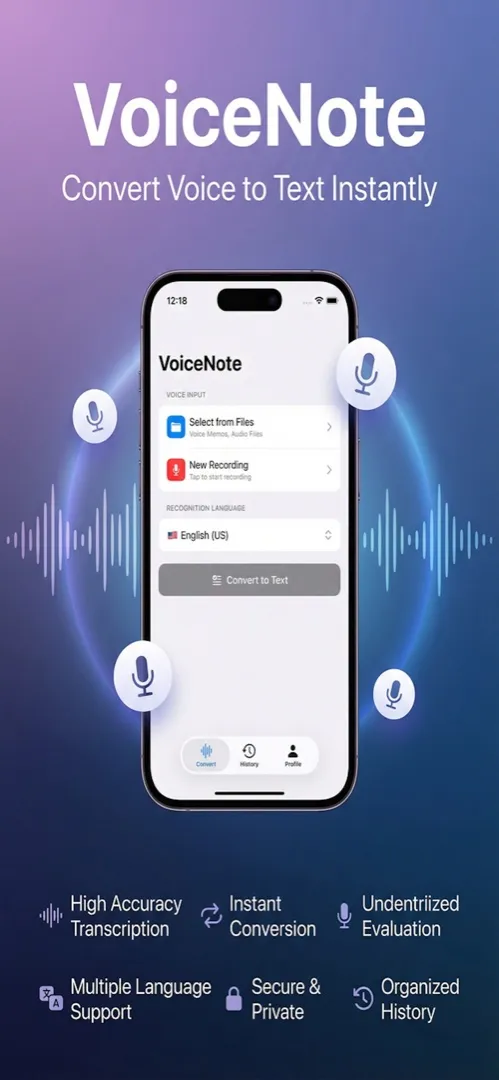
VoiceNote+ does everything you'd want from a voice memo app — and adds AI transcription on top — without charging a cent.
Dual transcription engines
VoiceNote+ gives you two ways to transcribe:
Apple Online engine — Fast and accurate. Uses Apple's servers for quick turnaround. Best for everyday use when you have an internet connection.
Whisper Offline engine — Runs entirely on your iPhone. No internet required. OpenAI's Whisper model achieves up to 97.9% accuracy — better than many cloud services — while keeping your audio completely private. Read our deep dive on offline transcription with Whisper or compare all 5 Whisper models.
Switch between them depending on your situation. Both are free.
13 languages
VoiceNote+ supports 13 languages including English, Korean, Spanish, French, German, Japanese, and more. Most transcription apps are built for English first and treat other languages as an afterthought.
If you record in multiple languages — or need to transcribe content for multilingual teams — this is a genuine differentiator.
Privacy by default
When you use the Whisper offline engine, your audio never leaves your iPhone. No cloud upload, no server processing, no data retention policy to worry about. Your voice memos stay yours.
Apple Voice Memos: Already on Your iPhone
Apple's built-in Voice Memos app is excellent for simple recording. It's clean, reliable, and syncs across your Apple devices through iCloud.
The gap: No transcription. You can record all day, but when you need to find what someone said at the 23-minute mark, you're scrubbing through audio manually. There's no way to search your recordings by content.
For quick personal memos, Voice Memos is fine. For anything you need to reference later, you need text.
Otter.ai: Powerful, But the Free Tier Has Walls
Otter.ai is one of the most recognized names in transcription, and for good reason — it's accurate, it has collaboration features, and it integrates with Zoom and other meeting tools.
The free tier reality:
- 300 minutes per month total
- 30-minute limit per conversation
- Import limited to 3 files
- No offline transcription
If you use it for one long meeting per week, you'll hit the monthly limit quickly. The $8.33/month Pro plan removes most limits — but that's $100/year for a transcription tool.
Built for teams, priced for teams. If you're an individual who records meetings, lectures, or personal notes, Otter's feature set is more than you need at a price you don't need to pay. For a full breakdown, see our VoiceNote+ vs Otter.ai comparison.
Rev: Professional Service, Professional Price
Rev is a transcription service more than an app. It offers both AI transcription and human transcription reviewed by professionals.
The reality: Rev charges per minute of audio. There's no free tier for ongoing use. It's built for professionals who need legally defensible transcripts or broadcast-quality accuracy — not for everyday voice memos.
Which One Should You Use?
Use VoiceNote+ if you want transcription that's actually free — no monthly limits, no subscription, works offline, supports 13 languages.
Use Apple Voice Memos alongside VoiceNote+ for quick recordings where you don't need transcription immediately.
Use Otter.ai if you're on a team that uses Zoom integration and needs shared transcripts — and you're willing to pay for it.
Use Rev if you need professional, human-reviewed transcripts for legal or broadcast purposes.
For most iPhone users, VoiceNote+ covers everything. Record, transcribe, organize. No subscription, no limits, no cloud required.
Frequently Asked Questions
What is the best free voice memo app for iPhone in 2026?
VoiceNote+ is the only voice memo app that offers unlimited AI transcription, 13 languages, and offline capability — all completely free with no subscription required.
Can I transcribe voice memos to text for free on iPhone?
Yes. VoiceNote+ transcribes voice memos to text using two engines: Apple Online for speed and Whisper Offline for privacy and maximum accuracy. Both are free with no monthly limits.
Is there a voice memo app that works offline?
Yes. VoiceNote+ uses OpenAI's Whisper AI engine to transcribe voice memos entirely on your iPhone — no internet connection needed. Your audio never leaves your device.
How does VoiceNote+ compare to Apple Voice Memos?
Apple Voice Memos is a simple recorder with no AI transcription. VoiceNote+ adds automatic speech-to-text conversion in 13 languages, offline transcription via Whisper, and searchable text — all for free.
Need to scan documents instead of recording them? Try Scanory — the best free document scanner for iPhone. Or split a dinner bill in seconds with SnapTip — our free bill splitting app. See all our free apps in one place: 5 free iPhone apps you need in 2026.