VoiceNote+ vs Otter.ai: Which Is Actually Free? (2026)
You're in the middle of a long meeting. Otter.ai cuts off after 30 minutes. You switch to a new session — and a week later, you get the notification: you've used your 300 free minutes for the month. Now you're choosing between paying $8.33 every month or manually typing up your notes.
If that sounds familiar, you're not alone. A lot of iPhone users run into Otter.ai's free tier limits and start looking for alternatives. This post gives you an honest side-by-side comparison so you can decide what actually fits how you work.
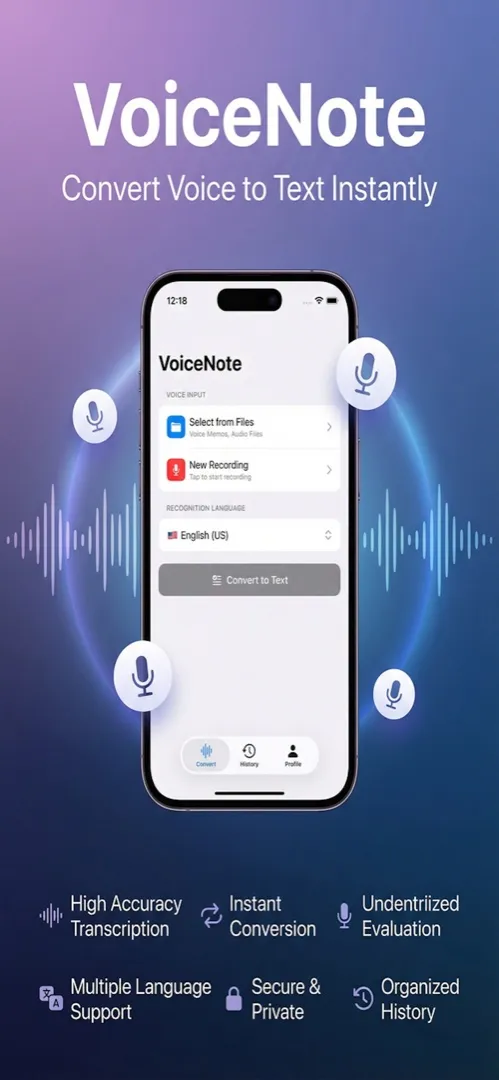
Quick Comparison
| Feature | VoiceNote+ | Otter.ai (Free) | Otter.ai (Pro) |
|---|---|---|---|
| Price | Free, forever | Free (limited) | $8.33/month |
| Monthly minute limit | None | 300 minutes | Unlimited |
| Session length limit | None | 30 minutes | 4 hours |
| File imports | Unlimited | 3 per month | Unlimited |
| Offline mode | Yes (Whisper) | No | No |
| Languages supported | 13 | English-focused | English-focused |
| On-device processing | Yes (Whisper engine) | No (cloud only) | No (cloud only) |
| Zoom / calendar integration | No | Yes | Yes |
| Team collaboration | No | Yes | Yes |
| App Store | Download | — | — |
The Real Difference: What "Free" Actually Means
Price and Limits
Otter.ai's free plan is genuinely useful — up until you hit its walls. 300 minutes sounds like a lot until you factor in a few long meetings or a week of classroom recordings. The 30-minute session cap is the part that catches most people off guard. If your lecture or interview runs longer, you have to manually start a new session and piece together your notes afterward.
VoiceNote+ has no monthly minute cap and no session length limit. You record for as long as you need to. There's no subscription, no free trial period, and nothing that expires. It's simply free.
Offline vs. Cloud-Only
This is where the two apps genuinely diverge in approach.
Otter.ai is entirely cloud-based. Your audio goes to their servers, gets processed, and comes back as a transcript. That works well when you have a reliable internet connection — and it's part of what makes their team collaboration features work. But if you're on a plane, in a basement, at a conference with spotty Wi-Fi, or just not comfortable sending your audio to a remote server, Otter.ai isn't an option.
VoiceNote+ runs a dual-engine system. The Apple engine uses an online connection for fast results. The Whisper engine — built on OpenAI's open-source model — runs entirely on your device, no internet required. The Large v3 Whisper model achieves 97.9% accuracy and produces about 55% fewer errors than many cloud-based alternatives. Processing a 5-minute audio file takes roughly one minute on-device, which is a reasonable trade-off for offline capability and privacy. For a deeper look at how offline transcription works, read our guide to offline voice transcription on iPhone.
Language Support
Otter.ai is built primarily for English. It handles English transcription well, but multilingual support is limited. If you regularly switch between languages — or work in a language other than English — Otter.ai may not serve you well.
VoiceNote+ supports 13 languages across both engines. Whether you're recording in Korean, French, Spanish, Japanese, or English, the app handles it without requiring a separate product or plan upgrade.
Privacy
With cloud-based transcription, your audio is uploaded and processed on external servers. That's a reasonable trade-off for many users, but it's worth knowing it's happening.
With VoiceNote+'s Whisper engine, processing stays entirely on your iPhone. Your audio never leaves your device. That matters for anyone recording sensitive conversations — medical notes, legal discussions, personal journals, or anything you'd prefer to keep off third-party servers.
Who Otter.ai Is Actually For
Otter.ai is a good product. It's not the right fit for every use case, but it's built with a clear purpose in mind: team workflows.
If you run meetings on Zoom, connect your calendar, share transcripts with colleagues, and collaborate on notes in real time, Otter.ai's Pro plan at $8.33/month is a reasonable tool. Its integrations are polished and it works well in a professional team context.
Where it falls short is for individual users who just want reliable, unlimited transcription for personal use — students, freelancers, people who take a lot of voice notes, or anyone who travels and can't always count on an internet connection.
Who VoiceNote+ Is For
VoiceNote+ is built for individual iPhone users who want transcription without limits or cost.
It's a good fit if you:
- Record meetings, lectures, or personal notes and don't want to track minutes
- Travel or work in environments without reliable internet access
- Record in a language other than English
- Want your audio to stay on your device and not be uploaded to external servers
- Are already paying for enough subscriptions and want a tool that's just free
It doesn't have Zoom integration, shared workspaces, or team features. If those matter to you, Otter.ai Pro is worth considering. If they don't, VoiceNote+ does more — at no cost. For a broader comparison with other apps, see our best free voice memo app for iPhone roundup.
Verdict
If you're an individual iPhone user who got tired of Otter.ai's free tier limits, VoiceNote+ is a straightforward alternative. No monthly cap, no session limits, no subscription. The Whisper offline engine adds a capability Otter.ai simply doesn't offer: fully on-device transcription that works without the internet and keeps your audio private.
Otter.ai remains a strong option for teams who need collaboration features and Zoom integration. But for personal use, it's more product than most people need — and more expensive once the free tier runs out.
Frequently Asked Questions
Is VoiceNote+ actually free compared to Otter.ai?
Yes. VoiceNote+ has no monthly minute cap, no session length limit, no subscription, and no premium tier. Otter.ai's free plan limits you to 300 minutes per month with 30-minute sessions — then it's $8.33/month for Pro.
Can VoiceNote+ replace Otter.ai for meeting transcription?
For individual use, yes. VoiceNote+ handles meeting transcription with unlimited recording time, 13 languages, and offline capability. The main thing VoiceNote+ lacks is Otter.ai's team collaboration features and Zoom integration.
Does VoiceNote+ work offline while Otter.ai doesn't?
Correct. VoiceNote+ includes OpenAI's Whisper engine, which runs entirely on your iPhone with no internet needed. Otter.ai requires a cloud connection for all transcription — there is no offline mode.
Which has better transcription accuracy: VoiceNote+ or Otter.ai?
VoiceNote+'s Whisper Large v3 model achieves approximately 97.9% accuracy, which is comparable to or better than Otter.ai's cloud-based transcription. The key advantage is that Whisper achieves this accuracy entirely on-device.
Download VoiceNote+ — Free on the App Store
One More Thing: Pair VoiceNote+ with Scanory
If you work with physical documents alongside your voice notes, take a look at Scanory — the best free document scanner for iPhone. Scanory scans documents, saves them as PDFs, and keeps them organized in folders. A common workflow: scan a handwritten page with Scanory, then use VoiceNote+ to record your spoken commentary or analysis. Two free tools that work well together without requiring a subscription for either.
Other free apps from SoSo Family: FitnessLog for free workout tracking, SnapTip for splitting bills fairly, and Qrra for QR code scanning and generation. See them all in 5 free iPhone apps you need in 2026.